
Which AI Agent Should You Choose for Your Business?
Compare Hermes, Codex, Claude Code, ChatGPT Work and other agent platforms by business task, setup, integrations, maintenance and practical limits.
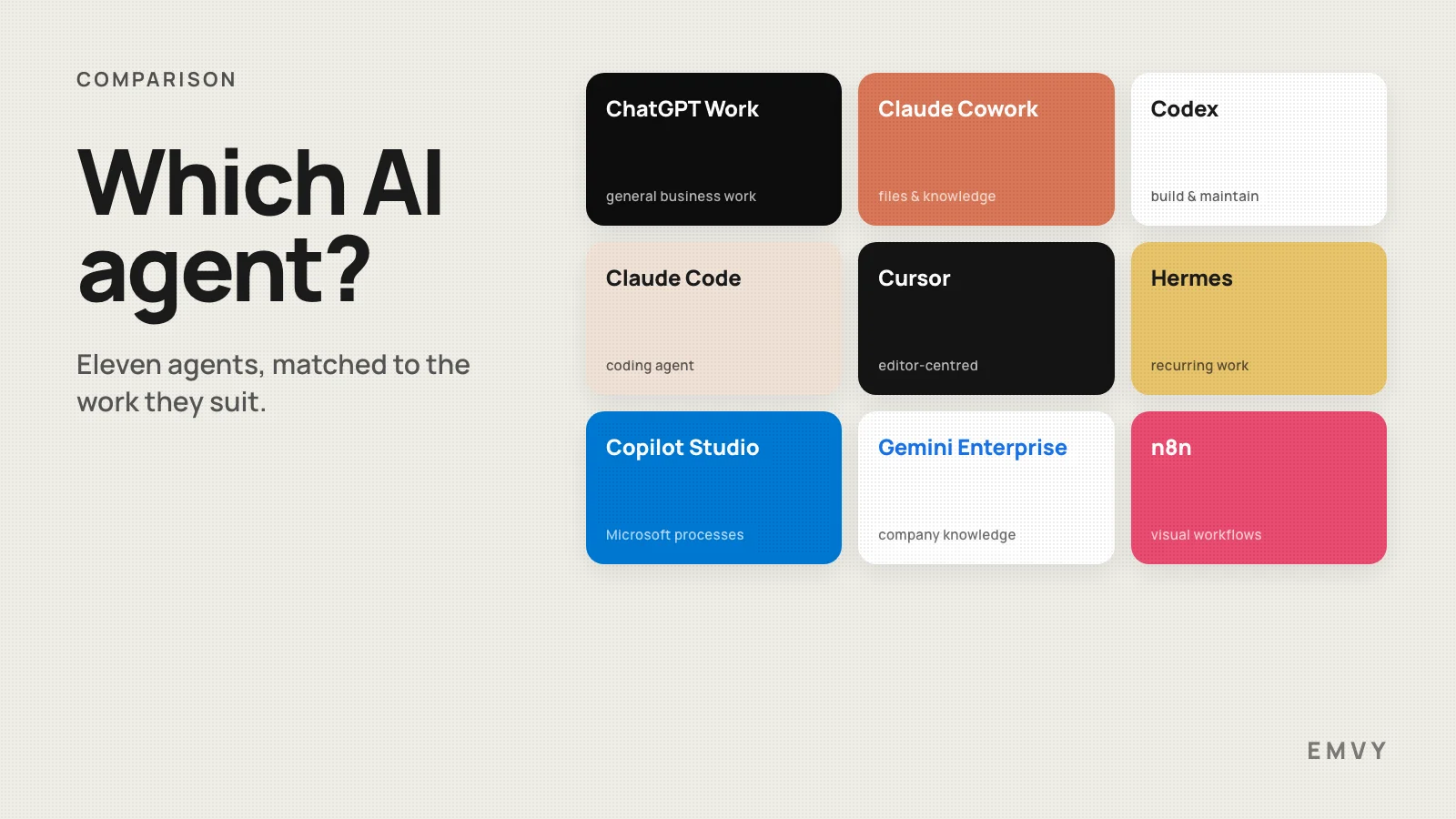
For everyday research and documents, start by comparing ChatGPT Work and Claude Cowork. For building or maintaining an app, shortlist Codex, Claude Code and Cursor; for recurring work across business tools, compare Hermes, Microsoft Copilot Studio, n8n and AI by Zapier against the systems you already use.
Gemini Enterprise and Salesforce Agentforce also deserve a look when the job depends on company-wide knowledge or Salesforce records. There isn't one agent that makes sense for all of those jobs.
My starting point is the work: what goes in, what should come out, what the agent may change, and who looks after it. Here is how I'd narrow the choices.
First, know what you're comparing
An AI model generates the reasoning and responses. An agent product adds the working environment. It supplies tools and file access, controls permissions and carries out multiple steps. A platform for building agents adds another layer of configuration.
That is why choosing OpenAI or Anthropic isn't the same decision as choosing Codex or Claude Code. And choosing a coding agent isn't the same as choosing a system that handles customer requests inside your CRM.
This guide compares documented capabilities and practical fit, checked on 21 November 2026. The example tasks are suggested trials, not results from a head-to-head product test.
| Your main job | Start your shortlist here | The deciding question |
|---|---|---|
| Research, reports and editable office files | ChatGPT Work, Claude Cowork | Can it produce the actual file you need from your sources? |
| Build, fix or review an application | Codex, Claude Code, Cursor | Can it work in your codebase and prove the change works? |
| Run a custom recurring job across files and tools | Hermes | Who owns its setup and ongoing operation? |
| Build agents around Microsoft business systems | Copilot Studio | Can it access the right records and perform the exact actions? |
| Connect business apps with controlled steps | n8n, AI by Zapier | Which steps need reasoning and which should follow fixed rules? |
| Search company knowledge with staff permissions | Gemini Enterprise | Are the required sources connected with the right access? |
| Handle service work inside Salesforce | Agentforce | Are the records ready, with actions and escalation paths configured? |
These are starting points, not an overall ranking. A business can reasonably use a coding agent to build a tool and a different agent to operate it.
The categories overlap. Work and Cowork also support scheduled tasks, so a recurring report alone isn't a reason to run a custom environment. Compare a configurable agent or workflow builder when you need integrations or operating controls that the simpler product cannot provide.
ChatGPT Work: general business work without building a system
OpenAI describes Work as the agent experience for longer tasks and finished deliverables, including research and finished office documents. Codex is its separate software-development experience.
I'd put Work on the shortlist for an owner or office team that wants to hand over a bounded assignment: compare supplier documents, assemble a meeting pack or analyse an export and produce a report.
A useful first trial is to supply a previous monthly report, the new source files and the calculations that must be preserved. Ask for the next report with missing information clearly identified. Inspect the editable file and its numbers, not just the summary in the conversation.
For web work, OpenAI documents a cloud browser that can interact with supported sites and pause for sign-in or confirmation. A site working in your own browser doesn't guarantee it works through an agent.
Main trade-off: relatively little infrastructure to manage, but capabilities depend on your plan and workspace permissions. Connected tools and website support also matter. Check those before designing a business process around it. Older guides referring to standalone ChatGPT agent mode are out of date: OpenAI now directs those tasks to Work.
Claude Cowork: delegated file and knowledge work
Claude Cowork works across selected files and tools to complete non-coding tasks. Anthropic describes document creation, spreadsheet reconciliation, research and recurring reports, with Cowork capabilities now part of Claude.
I'd shortlist it alongside Work for teams whose output is a spreadsheet, deck, research memo or organised set of documents. The desktop app matters when the required folders and applications are on your computer; web and mobile provide other ways to start and follow work.
A useful trial is to give it regional sales exports and an existing reporting template. Ask for a combined workbook, an explanation of rows it could not reconcile and a list of figures it could not reconcile. You can judge whether the workbook is useful without pretending that a polished explanation proves the arithmetic.
Main trade-off: less custom infrastructure than running your own agent environment, but you still need to choose its folders and connectors carefully, with appropriate permissions. Check which capabilities are available on the surfaces and plan your staff actually use. Cowork and Claude Code both carry out multi-step tasks, but they serve different starting jobs.
Codex: building and maintaining your business's software
Codex is OpenAI's coding agent. Its documented jobs include finding bugs and building features, with support for refactoring and code review. It can work in local development or a configured cloud environment.
I'd shortlist it when the deliverable is a change to an application: a booking feature, a customer portal, an import tool or a fix to an internal dashboard. A non-technical owner can describe the requirement, but somebody still needs to judge the implementation and the release.
A good trial is a small bug with a known answer. Give Codex the codebase, steps to reproduce it and the expected behaviour. Ask for a failing test that captures the problem. Then require a fix with the test results. Review the actual changes before they reach the live application.
Main trade-off: access to a real project also creates scope for incorrect changes. Prepare its environment and dependencies, then require tests and review. A prototype created by Codex isn't automatically a maintained business system.
Claude Code: a coding agent you can shape around your project
Claude Code reads and edits codebases. It runs commands and connects to development tools. Anthropic documents access through a terminal or editor, as well as desktop and browser options. It supports reusable instructions and skills, with hooks and external tool connections.
I'd compare it directly with Codex for feature work and project maintenance, including bug fixes and tests. It is particularly worth examining when a developer wants repeatable project instructions and checks around the work. Those features help organise the process; they do not establish that it outperforms another tool.
For a trial, choose an import function that mishandles duplicate records. Ask Claude Code to explain the existing behaviour, propose the smallest fix, add tests for duplicates and malformed input, then show what passed. Keep the project and requirements the same, with identical checks when comparing it with Codex.
Main trade-off: it benefits from a properly prepared development environment and an owner who can inspect the code and investigate failed commands. Don't choose it for an office document task simply because “Code” sounds more capable; compare Cowork for that job.
Cursor: coding agents inside an editor-centred workflow
Cursor Agent can search and edit a codebase, with command execution inside Cursor's development environment. Its documentation also describes browser tools for inspecting and testing applications.
I'd include it when the person maintaining your app wants to work alongside an agent in an editor. They can inspect changes and steer the implementation there. The distinction is the working environment and review process, not merely the model name.
Try the same bounded feature used for Codex or Claude Code. For a customer form, that could mean adding a required field with validation. The relevant tests must change too. Check both the code and the actual form at desktop and phone widths.
Main trade-off: adopting an editor-based workflow is useful for someone who works in the project regularly, but it doesn't remove the need for software ownership. Cursor's local checkpoints can undo agent file edits; its documentation explicitly distinguishes them from permanent Git version control.
Hermes: a configurable agent for recurring work across tools
Hermes Agent combines tools, persistent memory, reusable skills, messaging interfaces and scheduled jobs. It can run on a machine you control and supports different model providers and external tool connections.
I'd shortlist it for a specific role that needs continuity: producing a weekly exception report, researching a defined subject or preparing a recurring pack from files and connected tools. Its appeal is being able to assemble the environment around the job, rather than squeeze the whole job into a chat.
A sensible first trial is a weekly stock report using copied sample files. Give it a stock export and supplier list, together with rules for missing fields. Ask for a report that identifies discrepancies and links back to the relevant rows. Run it manually and inspect the output before adding a schedule.
Main trade-off: flexibility comes with ownership. Somebody must maintain its host and model access. Connectors and skills need upkeep too, as do the checks around the work. Running Hermes on your own server does not mean every piece of data stays there: a hosted model or external tool may receive information. Map those destinations before connecting private records.
Microsoft Copilot Studio: agents around Microsoft business processes
Copilot Studio is a low-code platform for building and managing agents and workflows. It combines connected knowledge with tools and business actions. It also provides publishing and administration capabilities, with evaluations to check quality.
I'd shortlist it when the organisation already works heavily in Microsoft systems and wants an agent tied to that environment. An internal policy assistant and a process that updates another system are different requirements; a simple knowledge-answering setup may not need a larger build.
For a useful trial, let an ordinary staff account ask questions from a limited set of approved policy documents. Check the supporting passages. If the next requirement is to create or update a record, test that action separately with the actual connector and approval path.
Main trade-off: low-code still requires an owner to configure it and manage access. Available connectors and environment policies affect what you can build. Check the licensing and chosen runtime as well. An administrator's successful test doesn't establish that other staff have the right access.
Gemini Enterprise: company knowledge across connected systems
Gemini Enterprise combines enterprise search, an AI assistant and an agent platform. Google documents connectors for systems including SharePoint, Confluence, Jira and ServiceNow, with permissions-aware access to information.
I'd consider it when staff struggle to find answers across approved company sources, or need research and deliverables grounded in those sources. It isn't the same buying decision as turning on a Gemini feature inside one Workspace application.
A useful trial is a question that requires two approved documents: for example, how an internal process changed between policy versions. Ask for the answer and its sources, then repeat with accounts that have different access. The agent should not reveal a restricted document to someone who cannot read it.
Main trade-off: the value depends on source coverage and freshness, with permissions and edition also affecting the result. Connecting a system isn't the same as confirming that every relevant record is searchable. This can be more platform than a small team needs for one recurring task.
n8n: visual workflows with agent steps where they help
n8n's AI tooling connects models to tools and memory inside workflows. Its AI Agent node chooses tools to complete a task.
I'd shortlist it when you want a visible sequence across business apps, with reasoning in selected steps. For instance, AI could classify a written service request while fixed steps validate required fields, check for duplicates and create a draft record.
The first trial should include a normal request alongside an ambiguous case. Include a duplicate as well. Inspect each step's input and output. Decide where the process should stop for a person rather than letting the agent guess.
Main trade-off: a visual builder doesn't remove engineering decisions. Somebody owns credentials and field mappings. They also need to monitor the process and handle retries. Hosted and self-hosted deployment also create different maintenance responsibilities. Use ordinary fixed steps for predictable transfers; an agent need not decide how to copy a known field.
AI by Zapier: reasoning and actions inside existing Zaps
Zapier is moving its standalone Agents product into AI by Zapier. The documented approach puts reasoning and tool use inside a Zap, alongside triggers, filters and ordinary actions.
I'd consider this when the business already uses Zapier and its required apps are supported. It can combine an interpretation step with controlled actions rather than asking an agent to manage the whole process freely.
A trial might classify a new internal request, extract defined fields and prepare the next action. Enable approval for sensitive tools and inspect Zap history to see what actually ran. Test the full sequence, not just the text returned by the AI step.
Main trade-off: check the migration state of your account and how task consumption is calculated. Zapier says migrated agents remain one AI step until you restructure them; migration doesn't automatically turn every tool call into a separate controlled step. Its guide also says tool actions do not pause by default, so configure approvals deliberately.
Before migrating, check knowledge-source and trigger support. Zapier lists gaps for some Agents knowledge sources and no direct equivalent for chat-triggered agents. Once the migrated Zap is validated, turn off the original agent to avoid duplicate actions.
Salesforce Agentforce: service agents grounded in Salesforce
Agentforce provides agents for business roles, including customer service, using Salesforce context and configured actions. Salesforce describes escalation to people when requests fall outside the agent's scope.
I'd shortlist it for a company whose service records and processes already live in Salesforce. A sensible starting job is answering an order-status question from approved records and handing exceptions to staff.
Test with an ordinary case, a customer who should not see another customer's records and a request outside policy. Check the record used, the actions performed and whether the handoff reaches the right person with enough context.
Main trade-off: the agent depends on the quality of your CRM records and configured business actions. It is not a reason to migrate to Salesforce just to experiment with AI. Include implementation, data preparation and ongoing administration in the decision.
How do you choose between the closest alternatives?
A shortlist is only useful if you know what could make one option win. Separate the working environment from the quality of a single answer.
ChatGPT Work or Claude Cowork?
Start with where the files live. OpenAI documents cloud Work on web and mobile, with permissioned local-file access in its desktop app. Anthropic says the Cowork desktop app adds access to the folders and applications on your computer. Both have cloud and scheduled-work options. “Can it run while my laptop is closed?” is something to verify for the particular task, not a unique selling point to assume for either one.
Then check the exact deliverable. If the job is a spreadsheet, require an editable workbook with the formulas and tabs you need. If it is a presentation, supply the real template and check its layout. Compare the correction effort on that file, not which agent writes the more confident explanation.
Finally, inspect the required connectors under your actual staff account. A tool that reads your supplied files well may still be the wrong choice if it cannot reach the system that owns next month's inputs. If both candidates pass those checks, existing staff familiarity and the total operating cost become sensible deciding factors. The official descriptions alone don't establish a universal winner.
Codex, Claude Code or Cursor?
Choose the working setup before comparing a model. Codex documents reusable cloud environments as well as local coding. Claude Code offers terminal and editor workflows, with project instructions, hooks and cloud options. Cursor puts its agent into an editor-centred environment, with local checkpoints for reviewing or undoing changes. Those are points to investigate, not exclusive capabilities claimed for one product.
| Decision | What to ask the maintainer to demonstrate |
|---|---|
| Work on an existing app | Open the actual repository, install its dependencies and run its current tests before changing code |
| Background cloud work | Configure the cloud environment and prove the task can reach its permitted dependencies without exposing production credentials |
| Day-to-day editing | Show how staff inspect a diff, steer a task and revert an unwanted change in their preferred interface |
| Repeatable standards | Load project instructions and run the same acceptance checks on the proposed change |
OpenAI says Codex is included in ChatGPT plans; usage and workspace access still apply. Claude Code's overview describes Claude subscription or Anthropic Console access, with supported third-party provider routes on some surfaces. Cursor is a separate development environment to evaluate with the person maintaining the code. Don't assume one existing AI subscription grants every product or deployment option.
A coding agent can be a good tool for building a custom system without being the right tool to run that system every morning. Treat those as separate responsibilities.
Hermes, n8n or AI by Zapier?
I'd start with the shape of the work. A role that repeatedly uses selected files and skills gives Hermes a reason to be considered. A process whose stages you want explicitly laid out gives a workflow builder a reason to be considered.
Between n8n and AI by Zapier, check the required integration first. Ask whether it supports the exact action, not merely whether the application logo appears in a directory. Then inspect how an unsuccessful run is retried and how a person approves a sensitive action. n8n lets you assemble model and tool nodes inside a workflow; Zapier now combines AI steps with its existing Zap structure. Either approach still needs somebody responsible for incorrect mappings and duplicate actions.
For Hermes or a self-hosted workflow deployment, name the person who maintains the host. For a hosted product, name the person who owns connected accounts and investigates failed work. If neither person exists, reduce the scope to a supervised task before buying a larger system.
What must be ready before you start?
| Shortlist | Minimum preparation for a useful evaluation |
|---|---|
| Work or Cowork | An eligible account with the needed features enabled, a safe source pack and an example of the finished file |
| Codex or Claude Code | Product access, a repository, a working test setup and a reviewer who understands the change |
| Cursor | Its development environment, access to the project and a maintainer who can review the agent's edits |
| Hermes | A supported host, model access, required tools and an owner for configuration and upkeep |
| Copilot Studio | A suitable Microsoft environment, agreed knowledge/action permissions and someone who can administer it |
| Gemini Enterprise | The appropriate edition, provisioned sources and staff access configured for the trial |
| n8n or AI by Zapier | Connected app accounts, defined field mappings and test records that can be safely changed |
| Agentforce | A configured Salesforce environment, usable records and agreed actions and escalation paths |
These are preparation requirements, not promises that a particular licence includes every feature. Check the linked current product documentation against your account before committing to a rollout.
Compare the operating cost, not just the subscription
The cost of a useful agent includes more than access to a model. Ask each candidate's owner to identify:
- User seats, model usage and any additional metered work.
- Connector, workflow-run, hosting and storage costs where applicable.
- Time to prepare data and configure the first working version.
- Time spent checking results and handling exceptions.
- Maintenance when a form, policy, application or integration changes.
For a Perth business, also check Australian availability, local support arrangements and the handling of customer information. A local server is not proof of local model processing, and a global brand is not proof that every feature is available to your account.
If customer records are involved, use the client-data guide to prepare the questions about access and data handling. Confirm the answers for the actual product and account you choose.
Run a trial that can change your decision
Don't buy from an impressive demo alone. Compare a small shortlist on the same job and record what happened.
For document work: use the same source pack and template. Check missing facts, calculations, citations and whether staff can edit the delivered file.
For coding: use the same codebase, bug or feature, acceptance requirements and test environment. Inspect the changes and run the tests. Speed matters only after the result meets the requirement.
For connected operations: use the same sample records, permitted actions and exception cases. Check for duplicate writes, incorrect access, missing approvals and failed handoffs.
Here is a copyable trial brief to adapt:
Prepare a draft weekly stock exception report from the attached sample export and supplier list. Identify missing fields and items that do not match. Include the source row for each finding. Do not change the source files or contact suppliers. Deliver an editable report and a list of unresolved questions.
That brief suits document and operations candidates, not a coding comparison. For Codex, Claude Code or Cursor, the equivalent assignment would be to build and test the report-generation feature.
Record the result in a simple worksheet:
| Check | What to record |
|---|---|
| Task | Inputs, required output and acceptance requirements |
| Accuracy | Wrong facts, missed items and unsupported conclusions |
| Effort | Setup, run time, review and correction time separately |
| Actions | Files or records read and changed |
| Exceptions | Missing information, duplicates and failed connections |
| Ownership | Who maintains it and how to stop or undo a run |
| Cost | The actual usage and ongoing components for this job |
Which would I start with?
For an office team that needs finished documents, I'd begin with Work or Cowork. For an app project, I'd compare Codex and Claude Code, adding Cursor when an editor-led workflow suits the maintainer.
For a recurring custom role, I'd consider Hermes when somebody can own the environment. For a defined process across connected apps, I'd compare n8n and AI by Zapier. Microsoft-heavy organisations should evaluate Copilot Studio; a Salesforce service team should evaluate Agentforce. Company-wide knowledge retrieval gives Gemini Enterprise a distinct place on the shortlist.
You don't need to buy every layer. Start with the narrowest useful job, choose the appropriate category, then compare the candidates that can actually access its inputs and deliver its output.
The AI provider guide covers the separate provider decision. The business-day agent guide gives more context on where an agent can fit into daily work.
Book a conversation and bring one job, its source files and the person who will maintain it. We can work out which category deserves a trial before you commit to a bigger setup.
Jake